

| Using Simulink | |
Enabled Subsystems
Enabled subsystems are subsystems that execute at each simulation step where the control signal has a positive value.
An enabled subsystem has a single control input, which can be scalar or vector valued:
For example, if the control input signal is a sine wave, the subsystem is alternately enabled and disabled, as shown in this figure. An up arrow signifies enable, a down arrow disable.
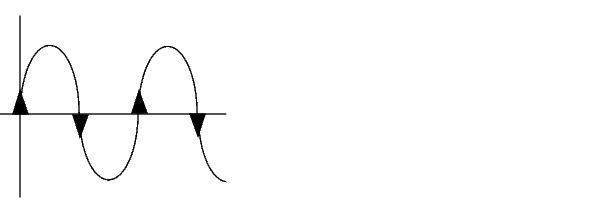
Simulink uses the zero-crossing slope method to determine whether an enable is to occur. If the signal crosses zero and the slope is positive, the subsystem is enabled. If the slope is negative at the zero crossing, the subsystem is disabled.
| | Introduction | Creating an Enabled Subsystem | |