| Wavelet Toolbox | |
Discussion
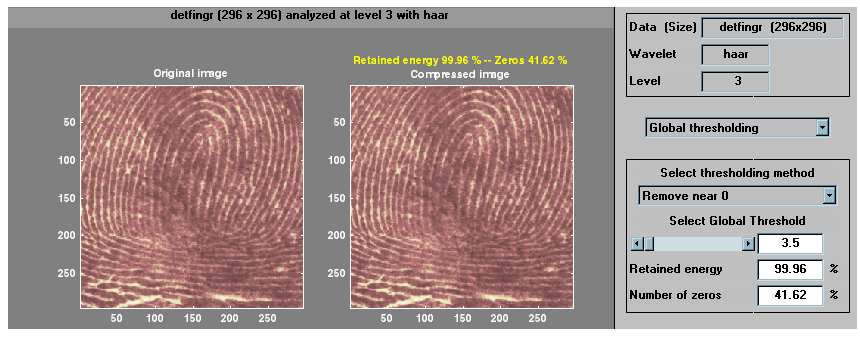
The graphical tool provides an automatically generated threshold. From the Select thresholding method menu, select Remove near 0, setting the threshold to 3.5. Then, click the Compress button. Values under the threshold are forced to zero, achieving about 42% zeros while retaining almost all (99.96%) the energy of the original image.
The automatic thresholds usually achieve reasonable and various balances between the number of zeros and retained image energy. Depending on your data and your analysis criteria, you may find setting more or less aggressive thresholds achieves better results.
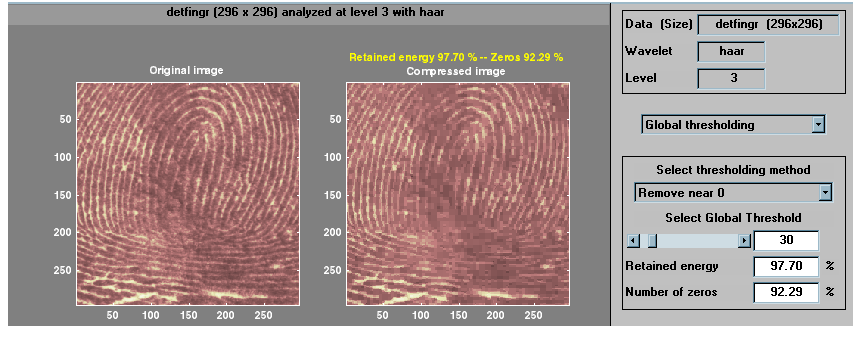
Here we've set the global threshold to around 30. This results in a compressed image consisting of about 92% zeros with 97.7% retained energy.
| | Compressing Images | Fast Multiplication of Large Matrices | |