| Statistics Toolbox | |
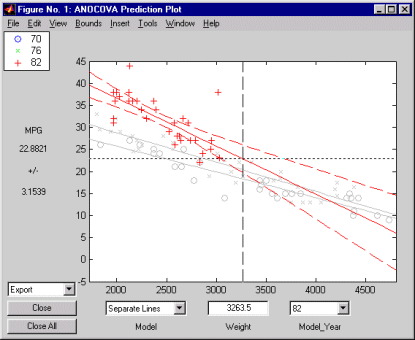
Confidence Bounds. Now we have estimates of the relationship between MPG and Weight for each Model_Year, but how accurate are they? We can superimpose confidence bounds on the fits by examining them one group at a time. In the Model_Year menu at the lower right of the figure, change the setting from All Groups to 82. The data and fits for the other groups are dimmed, and confidence bounds appear around the 82 fit.
The dashed lines form an envelope around the fitted line for model year 82. Under the assumption that the true relationship is linear, these bounds provide a 95% confidence region for the true line. Note that the fits for the other model years are well outside these confidence bounds for Weight values between 2000 and 3000.
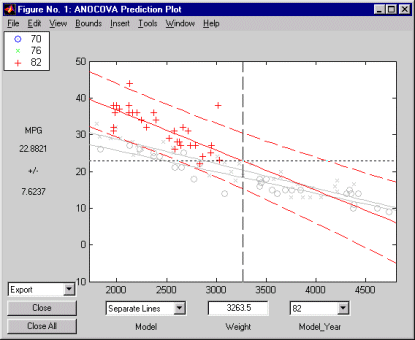
Sometimes it is more valuable to be able to predict the response value for a new observation, not just estimate the average response value. Like the polytool function, the aoctool function has a Bounds menu to change the definition of the confidence bounds. Use that menu to change from Line to Observation. The resulting wider intervals reflect the uncertainty in the parameter estimates as well as the randomness of a new observation.
Also like the polytool function, the aoctool function has crosshairs you can use to manipulate the Weight and watch the estimate and confidence bounds along the y-axis update. These values appear only when a single group is selected, not when All Groups is selected.
| | Example: aoctool with Sample Data | Multiple Comparisons | |