| Using Simulink | |
Changing the Orientation of Blocks
By default, signals flow through a block from left to right. Input ports are on the left, and output ports are on the right. You can change the orientation of a block by choosing one of these commands from the Format menu:
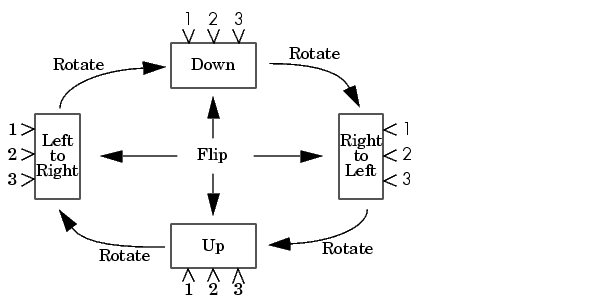
The figure below shows how Simulink orders ports after changing the orientation of a block using the Rotate Block and Flip Block menu items. The text in the blocks shows their orientation.
| | Deleting Blocks | Resizing Blocks | |