| Using Simulink |
  |
Bus Selector
Select signals from an incoming bus.
Library
Signals & Systems
Description

The Bus Selector block accepts input from a Mux block or another Bus Selector block. This block has one input port. The number of output ports depends on the state of the Muxed output check box. If you check Muxed output, then the signals are combined at the output port and there is only one output port; otherwise, there is one output port for each selected signal.
| Note
Simulink hides the name of a Bus Selector block when you copy it from the Simulink library to a model. |
Data Type Support
A Bus Selector block accepts and outputs real or complex values of any data type.
Parameters and Dialog Box
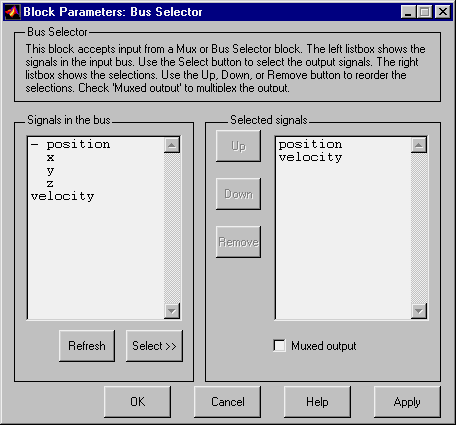
- Signals in the bus
- The Signals in the bus listbox shows the signals in the input bus. Use the Select>> button to select output signals from the Signals in the bus listbox.
- Selected signals
- The Selected signals listbox shows the output signals. You can order the signals by using the Up, Down, and Remove buttons. Port connectivity is maintained when the signal order is changed.
- If an output signal listed in the Selected signals listbox is not an input to the Bus Selector block, the signal name will be preceded by
???.
- The signal label at the ouput port is automatically set by the block except when you check the Muxed output check box. If you try to change this label, you will get an error message stating that you cannot change the signal label of a line connected to the output of a Bus Selector block.
| | Bitwise Logical Operator | | Chirp Signal | |