| Target Language Compiler | |
Code Coverage for Debugging TLC Files
Objective: Learn about Real-Time Workshop's capabilities for checking TLC code coverage. This is useful as a debugging tool when writing TLC code. TLC code coverage is easy to use and indicates whether you've exercised all possible cases for generated code that your TLC file can produce.
Example directory: tlctutorial/codecover
Performing the Tasks
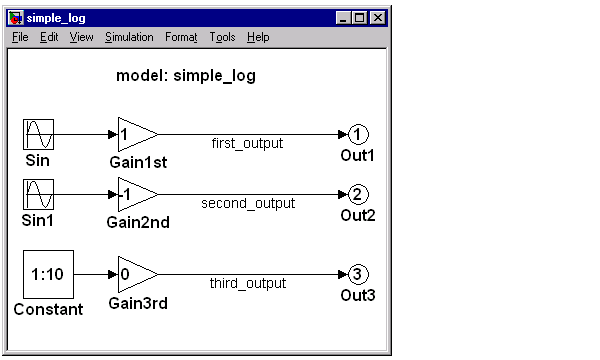
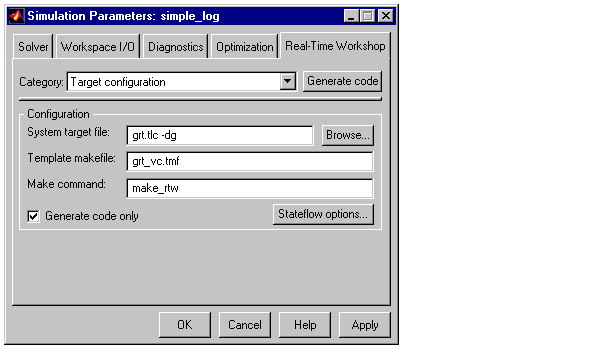
simple_log.simple_log model.Now, look in your build directory and observe the filenames with the .log
extension (i.e., type: dir *.log). These .log files correspond to the TLC files
with .tlc extensions that were used to generate C code for your model.
gain.log. Observe the integers 0, 1, 2, ..., n, which indicate how many times the lines of TLC code were exercised. This tool is very useful for debugging custom written TLC files. Aside from TLC files for individual blocks such as gain.tlc, TLC relies on additional files such as blocklib.tlc, genmap.tlc, mdlhdr.tlc, mdlbody.tlc, mdlparam.tlc, mdlvars.tlc, etc.gain.log and simple_log.c and pay attention to the model output code for the three outports. Is it clear how the code has changed and why? The generated code is optimized for speed, however, it is not suited for parameter tuning.Gain3rd from 0 to 1, and seeing how the .log file and the generated C code change with and without inlined parameters.| | Explore Variable Names and Loop Rolling | Using a Wrapper S-Function Inlined with TLC | |