Requirements Management Interface    

Startup

  1. Start MATLAB.
  2. Edit the file $matlabroot\toolbox\reqmgt\reqmgropts.m to specify the OTHERS option for the Requirements Management Interface.
    1. Type edit reqmgropts at the MATLAB prompt.
    1. Edit the reqsys line so it appears as follows.
        
                reqsys = 'OTHERS';
        
    2. Save reqmgropts.m and close it.
  3. At the MATLAB prompt, type

    or, in Simulink or Stateflow, select Requirements management interface from the Tools menu.

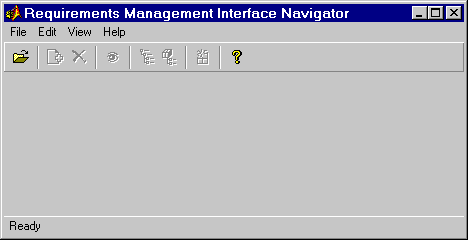
    The Navigator window opens.

Figure 1-2: Navigator - No Object Open


 Using the Requirements Management Interface Opening an Object in the Navigator